Turtle Beach Command Series KB7 Keyboard Review
Summary: The Turtle Beach Command Series KB7 is the future of keyboard technology.
4.7
Command Centre
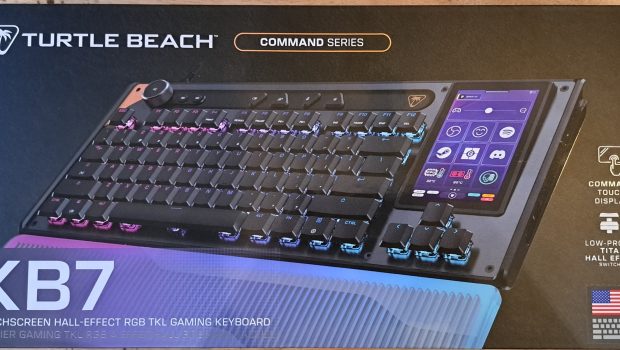
The Turtle Beach Command Series KB7 is about as much of a gaming keyboard as Bruce Wayne is an ordinary law-abiding citizen. Beneath its sleek exterior lies something far more capable. Combining a highly customizable 4.3-inch touchscreen, Titan Low-Profile Hall Effect switches, an 8K polling rate and Turtle Beach’s Swarm II software, the KB7 transforms what would normally be a gaming keyboard into a fully-fledged desktop command centre.
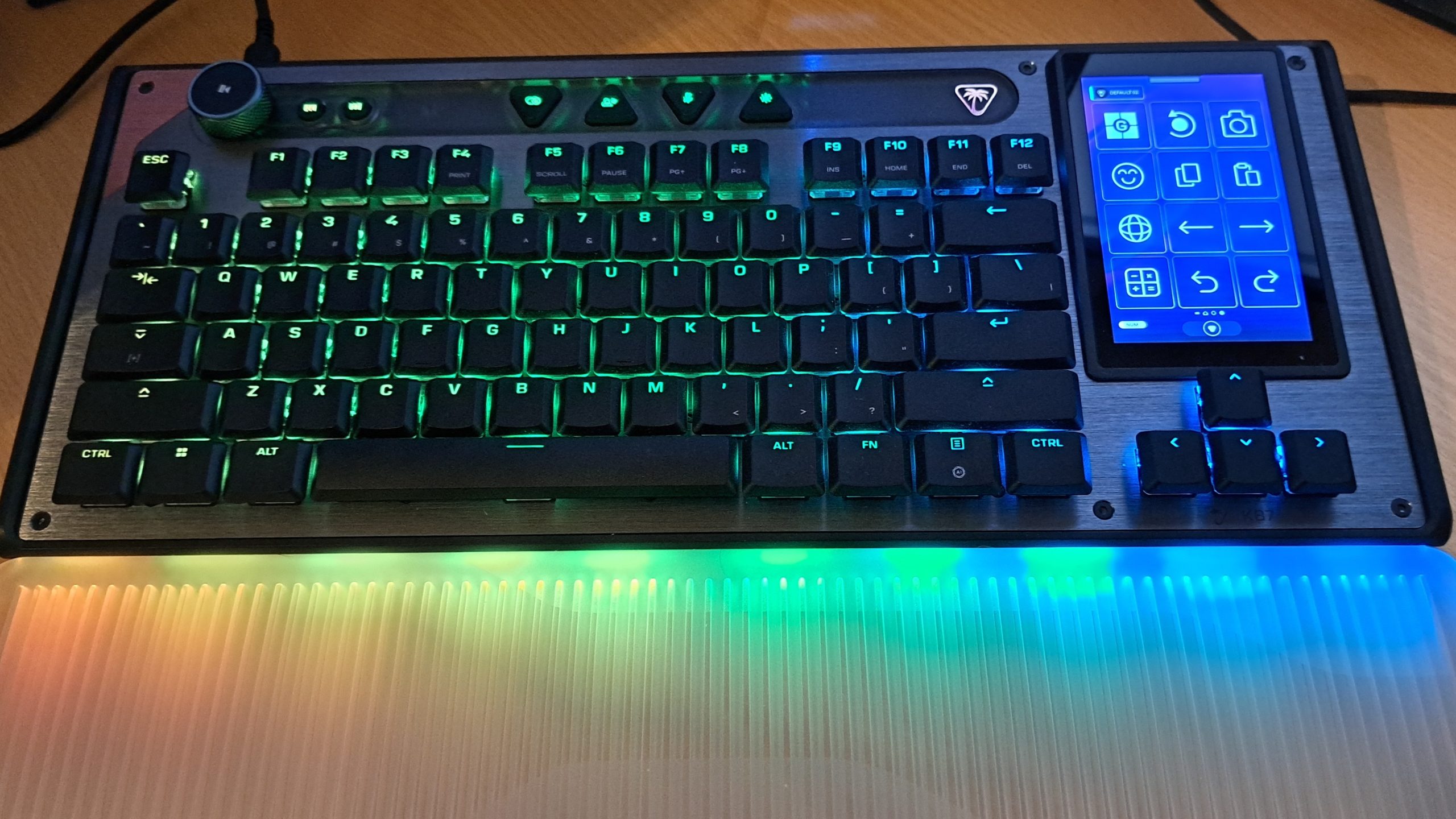
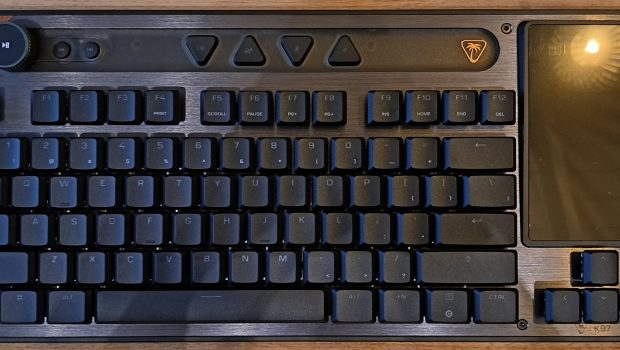
The Turtle Beach Command Series KB7 gaming keyboard is unlike anything I’ve ever come across before. Not only does this keyboard have 8K polling and 0.125ms latency for incredible reaction times, customisable actuation points for individual keys, it also features a highly programmable 4.3‑inch touchscreen display located above the arrow keys.
Capable of displaying up to 3 different screens, the built-in touchscreen can be customized to do everything from launch programs, switch configuration profiles, display PC diagnostics, and even shutdown your computer at the press of a single button.
For a long time, I thought that the only real difference between an everyday keyboard and a gaming keyboard was some fancy RGB lighting, a few extra buttons for shortcuts and media control, the clacky sound of mechanical keys all wrapped up in a flashy design. Personally, I think they look really cool and add flair to your gaming setup, but honestly, after hours of trying to figure out what macros to program into the hotkeys, it was still just another keyboard. The only difference is that after a week, I’d completely forget what macros I’d programmed into the hotkeys even though that was why I bought the keyboard in the first place. However, my understanding of what truly defines a gaming keyboard was completely changed when using the Turtle Beach Command Series KB7.
In fact, Turtle Beach don’t even call the KB7 a gaming keyboard, and that’s because it isn’t – the Command Series KB7 is so packed full of incredible high-tech features, that it’s closer to being a control panel on the Starship Enterprise than something you use to write emails with.
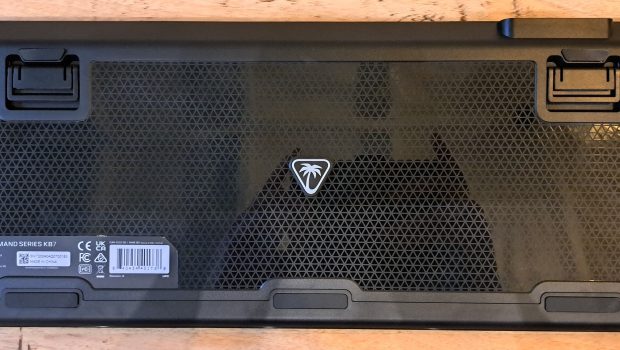
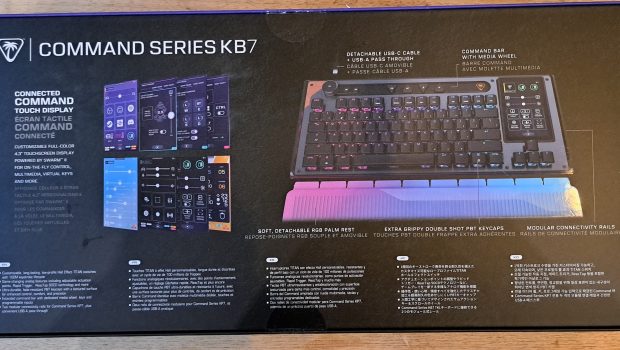
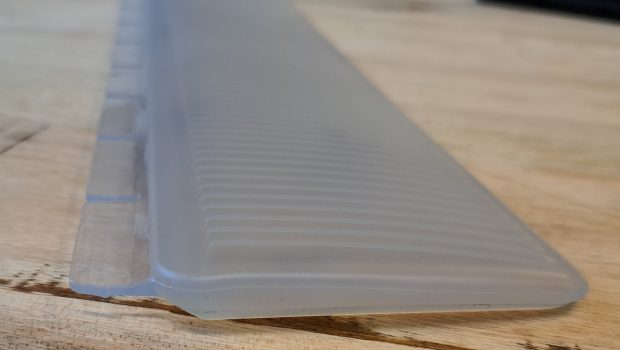
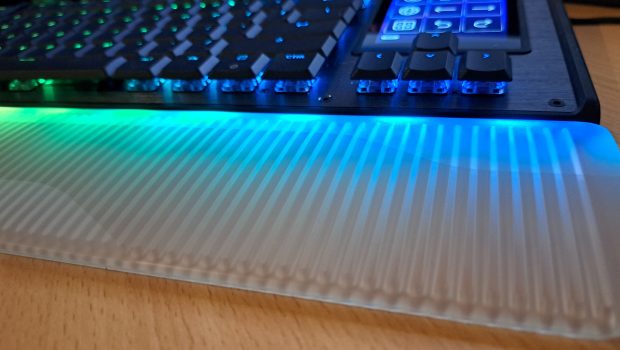
Out of the box, the KB7 comes with a 2m detachable USB-C cable, a USB-C to USB-A adapter, 4 replaceable textured keycaps, a keycap removal tool, and an illuminating wrist rest. Made from a translucent gel-like plastic, the wrist rest has been specially designed to allow RGB lighting to pass through, creating a vibrant lighting effect while maximising ergonomic comfort. I’m personally quite fond of how the gel-like material has a naturally occurring level of grip, allowing my wrists to stay in place without the need of specialized texturing like some other keyboards. This makes prolonged use of the KB7 much more tolerable and reduces wrist strain after hours of non-stop gaming.

While playing combat‑intensive games such as Rainbow Six Siege, a game that requires intense focus and reflexes, I found myself moving faster – reacting quicker to situations than before. Having set the actuation point to 1.2mm, my character was able to start moving sooner, changing what once might have been a kill shot to the chest into less lethal damage to the arms. Furthermore, the quicker movement response only deepened the level of gaming immersion – I felt less like an observer and more like I was that character. This immersion really hit home while playing Subnautica 2 when my ability to quickly navigate an underwater cave meant the difference between life and death. While many people say that graphics are what make a game immersive, having your actions happen as quickly as you can make them really deepens the connection between gamer and machine.
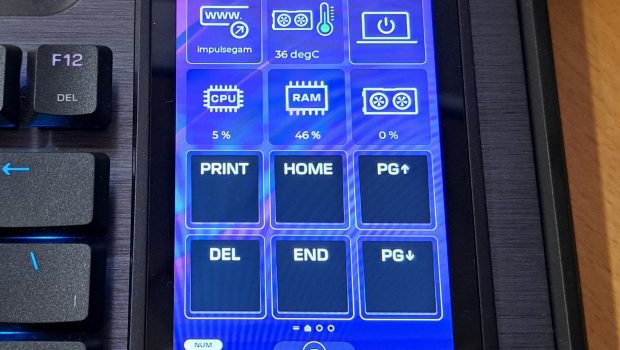
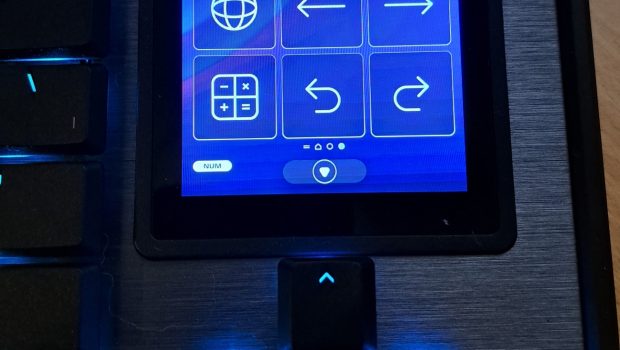
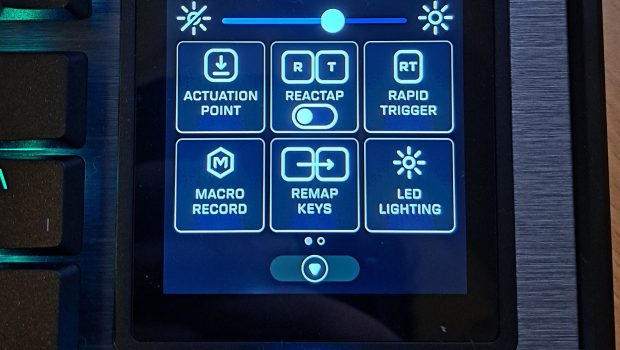
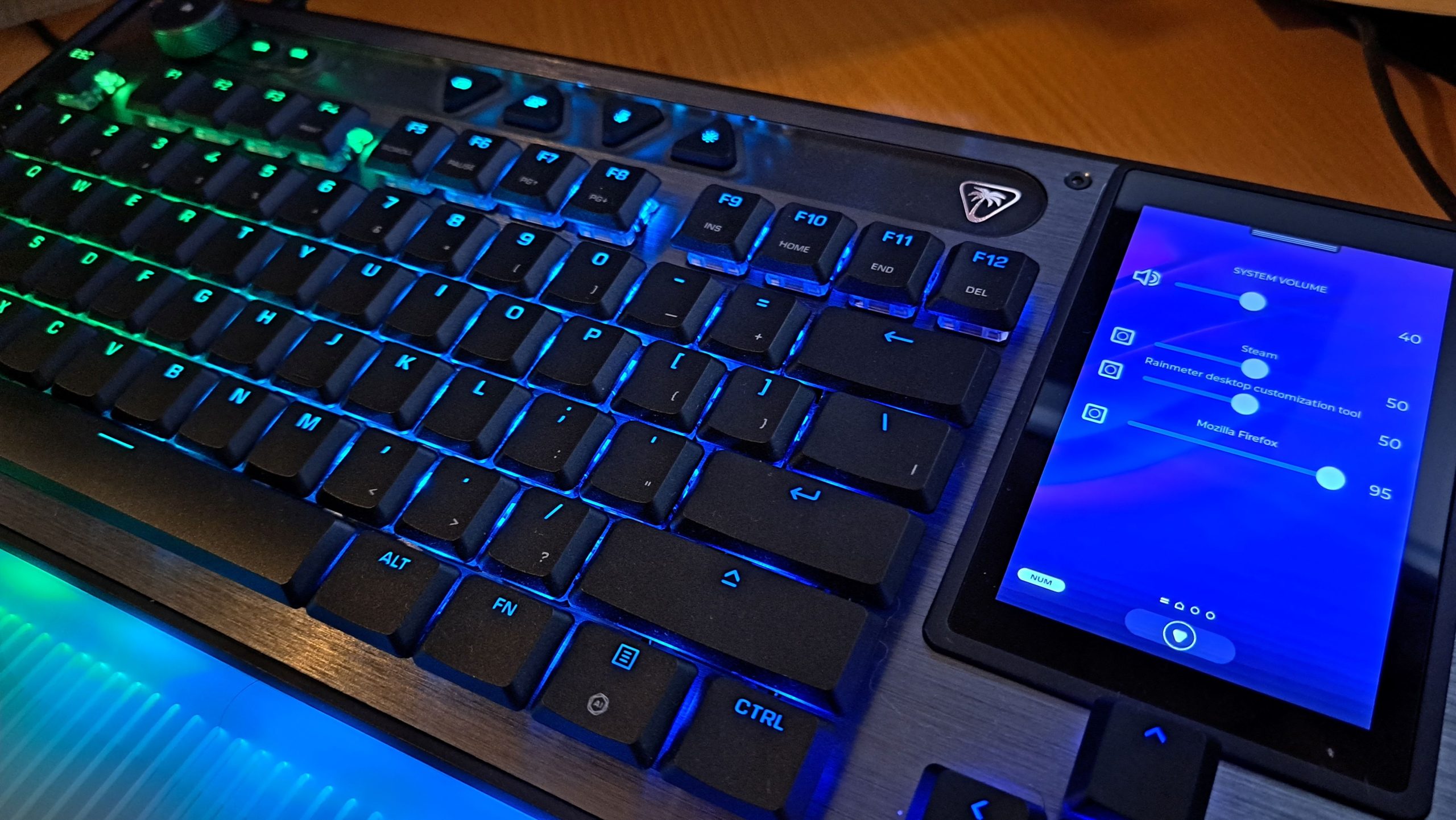
What really sets the KB7 apart from other keyboards is the inclusion of a 4.3” touchscreen located above the arrow keys, in place of the navigation keys. Admittedly, I feel that adding a touch screen (especially one of this size) to a keyboard is a very gutsy move by Turtle Beach, and one that has definitely paid off. Capable of displaying up to 3 different screens, the built-in touchscreen can be customized using the Swarm 2 software to do everything from launch programs, switch configuration profiles, display PC diagnostics, and even shutdown your computer at the press of a single button. The screen utilizes a 3×4 grid, allowing users to program up to 36 individual shortcuts across its multiple displays.
Users can further increase the number of displayed icons and layouts by utilizing the keyboards profile system via the Swarm 2 software. Located in the top action bar of the KB7 keyboard is a profile cycler button, which – as the name suggests – lets you cycle through multiple keyboard configurations. Each profile comes with it’s own set of touch screen layout configs, RGB lighting, plus separate key mapping and actuation points for gaming and non-gaming modes. The KB7 is capable of having up to 5 separate profiles loaded into its on-board memory, but additional profiles can be created and swapped out as needed. But for me, the real icing on the cake is that each profile can be named and assigned a unique colour and icon which is then displayed on the keyboards touch screen. I find this a huge win, not just because it means that I won’t forget what each profile is for or what it does, but profile switching can be setup to automatically occur depending on what application you’re using. These profiles can even be imported and exported, meaning that you can backup your configurations or share them with other gamers.
Personally, the touchscreen is quite an interesting game changer, but it is designed with function over aesthetics. While the touchscreen does have integration into streaming tools such as OBS and Streamlabs, it unfortunately lacks the icon customisation that other macro management products like the Stream Deck or MasterHub offer. If you were trying to get into streaming, then I feel that the touchscreen would offer some benefit at a basic level, but you would eventually need to upgrade to a dedicated control accessory. Even though I don’t stream myself, I do use a MasterHub for my everyday computer use and find that having the option to customise the icons quite beneficial, especially given that I can add text to each function – something that the KB7 lacks. While the icons are relatively straightforward, there were some that didn’t make sense to me until I started pressing buttons, such as the icon for opening Windows Game Bar which is simply represented as a ‘G’ over what appears to be the Microsoft Windows logo. I’ve been a gamer for a long time but without any text description, I honestly couldn’t tell you what that button did until pressing it.
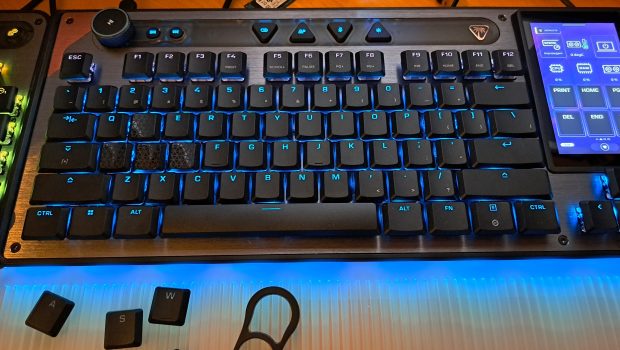
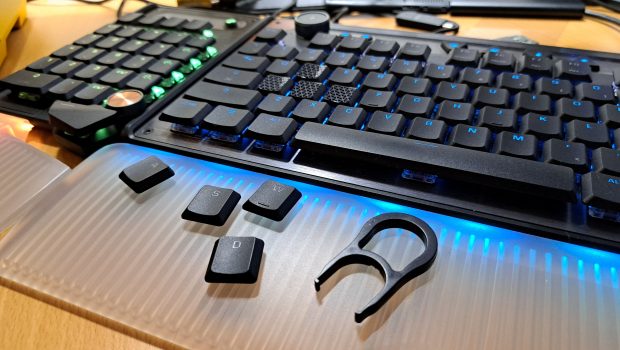
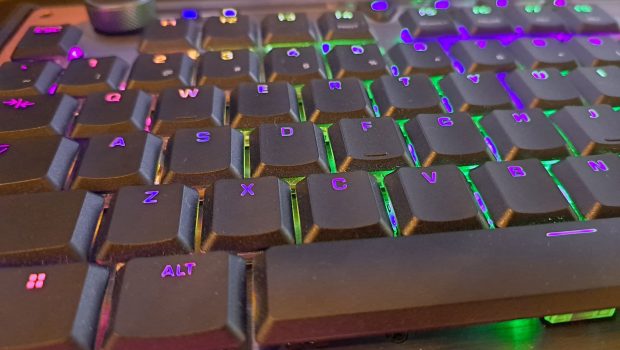
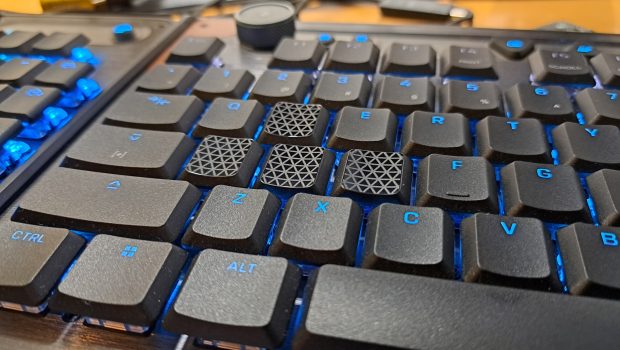
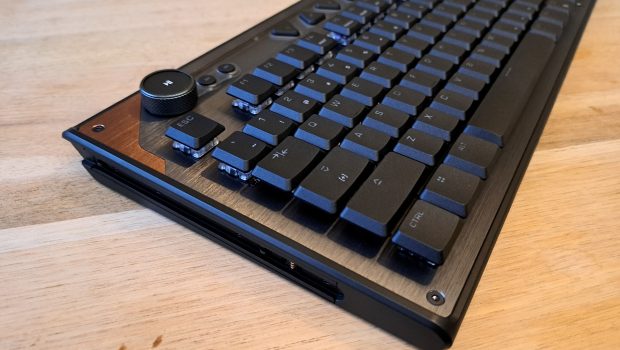
While the Turtle Beach has definitely gone above and beyond with developing the KB7’s software, the hardware is no exception. Each keycap is made from premium double shot PBT, a manufacturing process that not only creates a more durable and longer lasting keycap, but also prevents the letters from fading due to prolonged use. Furthermore, each key is resistant to shine and oils. This gives each key an almost silky smooth texture with a matte finish that combined with the natural feeling curvature of the keycaps, helps the fingers grip the keys with minimal effort and maximum comfort. The KB7 also comes with a keycap removal tool and 4 textured caps that can be swapped out with the WASD keys. Although these keys do offer more grip, I still personally prefer the default keys as a personal preference.
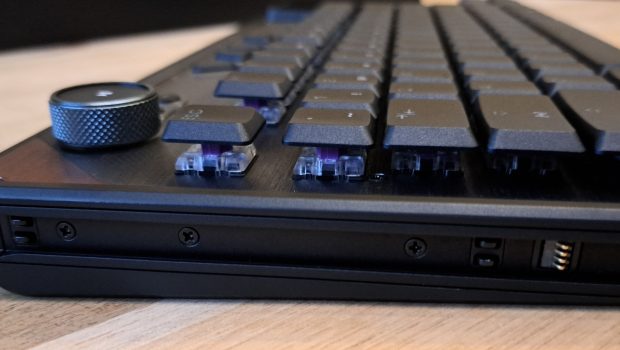
The keys themselves are each situated on Titan Low-Profile Hall Effect Switches, an industry leading form of keyboard button that combines the ultra-fast, customizable performance of magnetic switches (called Hall Effect) with the slim, sleek, and ergonomic form factor of low-profile hardware. Essentially, this means that when a key is pressed on the keyboard, the computer can read how far down that key has been pushed, thus allowing gamers to adjust the sensitivity of each individual key. On traditional keyboards, a key would have to be pushed all the way down before the computer will register a keystroke, which is typically around 3-4mm, but using a Hall Effect Switch, the users can configure the Command Series KB7 to react as soon as a key has been pushed down as little as 0.1mm, allowing keystrokes to register significantly quicker than on a conventional mechanical keyboard. And if that wasn’t fast enough, the KB7 is equipped with an 8000Hz polling rate, meaning that your computer is able to check for keystrokes from the KB7, 8000 times per second, unlike most other keyboards that only run off a 1000Hz polling rate. This gives the KB7 a latency of only a mere 0.125ms, making your in-game movements much more responsive, giving you an edge over your opponent and making the difference between victory and defeat.
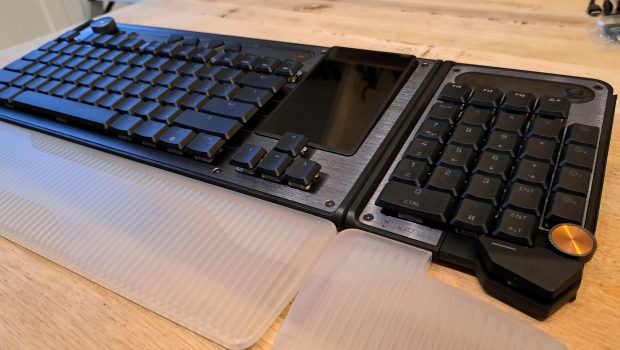
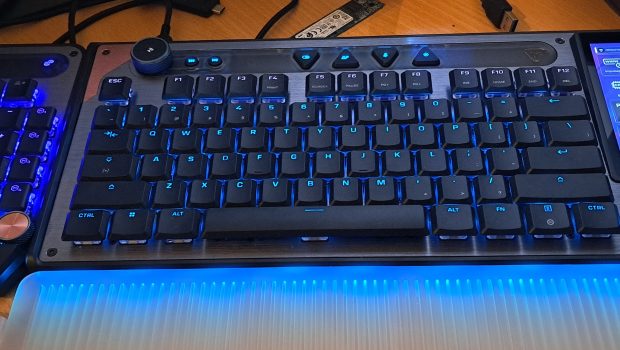
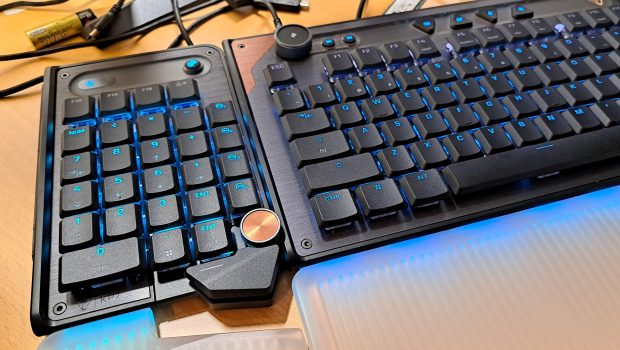
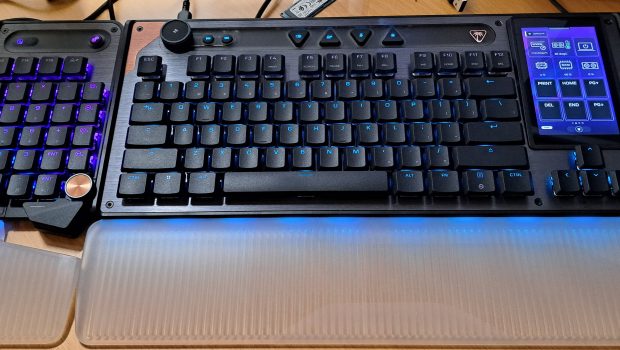
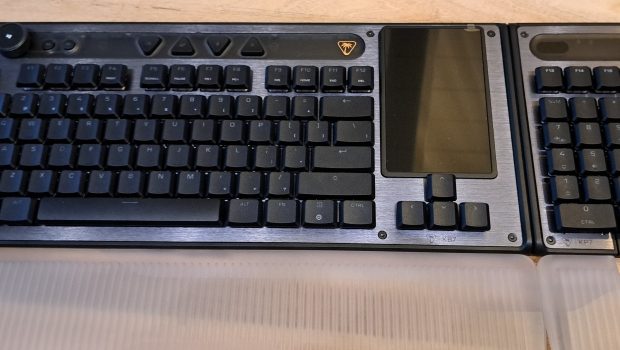
Located on the left and right edge of the KB7 is a modular rail that allows the connection of the Turtle Beach Command Series KP7, a stand-alone numpad featuring additional F-keys, space bar, and programmable dial. While the KB7’s touch screen can be used as a numpad, having the option to attach a full size numpad to either side of the keyboard is genius, and something I’m surprised more keyboard developers have put into practice, especially for left-handed people. The modular rail also includes contact pads, allowing for the KP7 to be fully powered by the KB7, allowing users to remove the detachable USB-C cable – a huge win for those using motherboards that have a limited number of USB-C ports. Interestingly enough, while connected to the KB7, the KP7 numpad still operates as its own independent device, with separate profiles and configurations. Given that these two devices are designed to work together, I’m surprised that Turtle Beach didn’t include some level of sync functionality that lets both devices switch profiles at the same time or change between normal and game mode.
Final thoughts
The Turtle Beach Command Series KB7 is a boundary‑pushing game changer in the world of keyboard technology. Every design element has clearly been thought about and meticulously crafted to be a point of excellence. Everything from the unique 4.3‑inch touchscreen to the translucent wrist rest has been carefully designed with function and purpose in mind.
While this keyboard is definitely designed with pro gamers in mind, the KB7 does offer a bundle of amazing features that any gaming enthusiast will be able to take advantage of across both games and every day computer usage. Thankfully, the Swam 2 software makes configuring the Command Series KB7 Keyboard quite easy – reducing the learning curve that comes with any new technology.
Overall, the Turtle Beach Command Series KB7 Keyboard is an amazing keyboard that’s designed to be incredibly durable and future-proof. I highly recommend the KB7 to anyone who is looking for long term gaming companion and is keen to push their abilities to the next level, regardless of what game or application they’re using.
About the Author

John Werner Web Designer by day, Gamer by every other hour. No game is too big or too indie for this gamer. I review from the heart and an open mind. Every game is worth giving a go!
Related Posts
Epson Win Best of the Best Award in the Product Design Category at the 2026 Red Dot Design Awards →

Introducing Circular Ring 2 →
Epson EcoTank ET-2911 Review →