|
PSP-Studio
PSP-Studio from Manaccom allows PSP owners
to create their own movies for one of the best portable consoles around,
the PlayStation Portable. Whether you're away from home, taking a train
or just waiting for a friend, the PSP-Studio is a must have piece of
software for the PSP user if they wish to convert a wide myriad of movie
formats to their PSPs.
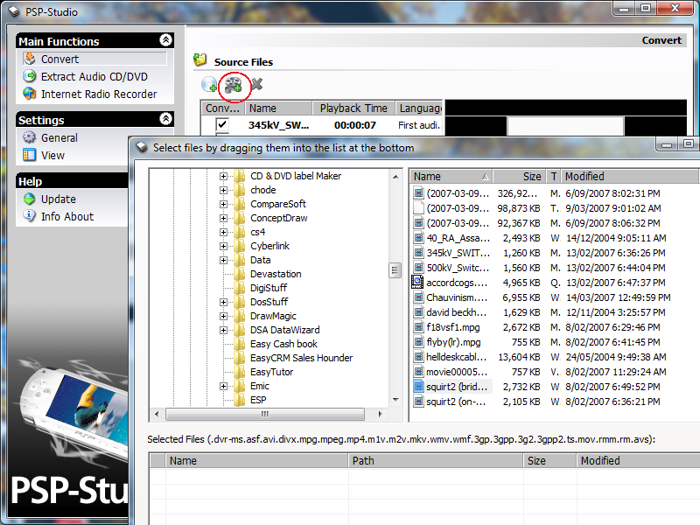
The installation of PSP-Studio was a breeze
and it simply auto-installed on both our Vista and Windows XP machines
without any issues whatsoever and once the installation was complete, we
were greeted to an extremely user friendly interface. Best of all, PSP-Studio
will convert any of the following movie formats; AVI, WMV, 3GP, MPEG-1,
MPEG-2, MPEG-4 (DivX® 3.11-6, XviD, Nero Digital™) or M-JPEG file.
Another issue with the PSP is the size of
your memory card, so fortunately for those users a little
confused about compressions and movie quality settings, PSP-Studio has a nifty little function
called "Fit To" which basically converts the file to how much space is
available on their memory stick.
For the more advanced users, they can customize
their own quality settings. PSP-Studio also allows the user to delete
certain sections of their movies such as the end credits etc, which is
great for maximizing the space available on your memory stick.
The conversion aspect does take some time,
depending on the compression format of the original file, especially AVI
files which are sometimes heavily compressed but in general, a hour
"movie" will take anywhere between 10 - 30 minutes which is also
governed by your computer speed.
Another interesting
feature of PSP-Studio is the ability of the "internet radio recorder"
that allows the user to record internet radio and convert them to make
it PSP friendly. A cute interesting feature but this aspect was a little
tricky to use.
In conclusion, PSP-Studio
is miles ahead of Sony's own media manager and we would happily
recommend PSP-Studio to PSP movie lovers. Easy to use, affordable and
highly recommended!
Benefits of PSP-Studio:
-
PSP-Studio is easy
to use and takes care of the details for you with automatic
selections.
-
Getting that one
must-have video onto your PSP won’t be an issue anymore.† Now you
can watch that funny clip on the way to work; or kick back with a
movie if you’re in the middle of nowhere bored out of your brain.
-
If you can’t afford
large memory sticks you can still have that full-length movie for
your PSP. Use PSP-Studio’s Split function to separate the movies
onto smaller sized memory cards.
-
When cropping your
file, you’ll know exactly which frame to set your crop marks at
because there’s a handy little preview window in PSP-Studio so you
can playback your movie before you convert.
-
† Englemann Media
and Manaccom wish to point out that the copying of text, graphics,
pictures, video, sound or data (even for private/home usage) without
the prior consent of the copyright owner is an infringement of
copyright and that the duplication and spread of such materials may
lead to criminal prosecution. The copying of copyright and
copy-protected CDs and DVDs is not supported by Engelmann Media or
Manaccom.
* Above and beyond the status of awesome.real number.
** Not a real number
|