



- Windows® XP SP3 (32-bit), Windows Vista® SP1 or later (32 and 64-bit), Windows® 7 Home Premium, Professional or Ultimate (32 and 64-bit)
- 2 GHz AMD or Intel® processor, 512 MB RAM (1 GB RAM for Windows Vista® or Windows® 7)
- For Blu-ray Disc Playback and HD Video Editing: Processor Intel® Core™ II Duo 2.2 GHz, AMD Athlon 64 X2 5200+ 2.6GHz or above, 2 GB RAM
- 5 GB hard drive space for a typical installation of all components (including templates, content and temporary disk space)
- DirectX® 9.0 compliant graphics card with 3D acceleration, 16-bit color, and a minimum of 128 MB video memory is required (32-bit, true color, 256 MB dedicated video RAM, and support for Shader Model 3.0 is recommended)
- For Blu-ray Disc Playback: Graphics Card NVIDIA 8600 and above, ATI Radeon HD 3800 and above, Intel G45 (Windows Vista/Windows 7); Minimum 512 MB VRAM, HDCP compliant display for digital connection
- DVD disc drive for installation and playback, Blu-ray Disc capable drive for BD playback
- CD, DVD, or Blu-ray Disc recordable or rewritable drive for burning and video authoring
- DirectX® 9.0c revision 30 (August 2006)
- Windows Media® Player 9
- Third party components such as Microsoft Windows® Installer 4.5, Microsoft .NET™ 3.5 SP1 and Microsoft Silverlight™ 3 are shipped with the product or automated download if not included in the package
- For some services and the use of BD-LIVE features an Internet connection is required (DSL-1000 and higher recommended). Internet connection charges are the user's responsibility
- For further requirements please check www.nero.com
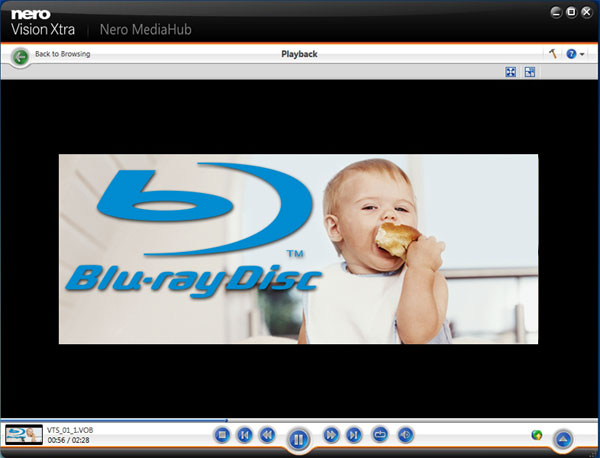
Nero Video Premium is also broken down into three programs that include the NeroMedia Hub, Nero Vision and the Nero Control Center. The Nero MediaHub is an organisation tool that easily allows you move through your multimedia files and even create slideshows or movie themes. Best of all, the Nero MediaHub flawlessly allows you to import your projects into Nero Vision.
Nero Vision is the brain centre of this program which is the video editing or authoring component of this package. This is where your masterpieces come to life and the program includes a plethora of features. For example, our favourite was the ability of PIP (picture-in-picture) effects and powerful multi-track video editing component. And yes, I now consider myself the Oliver Stone of home editing.
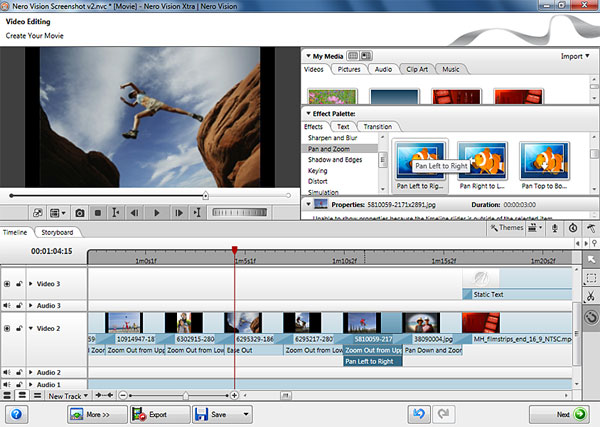
This part of Nero Video Premium HD is where you control your movies and edit them from effects to audio and the PIP effects. There are also some great wizards for fine tuning your movies and the program supports 14 themes which contain a variety of professional looking special effects. From 3D menus to 140+ clip art images, Nero Vision is only limited by your imagination. Lastly you have the Nero ControlCenter which basically allows you to manage and update your Nero products. Not really a worth a mention but there it is.
After using this program for just over two weeks now, I must admit that compared to some of its competitors, it's very easy to use. There's lots of clicking and dragging and that's about it. No complicated menus and the interface has been designed to suit a wide range of users. The installation process was simple but just be warned that you need a rather powerful PC to use the HD aspect of the program or you could be waiting around for quite some time. However, if you do have all that and you're after a HD video editing suite than this may be for you.