Digital Scrapbook PC Review - www.impulsegamer.com -
|
 |
Installation |
 |
8.0 |
| Ease of use |
|
7.8 |
| Usefulness |
 |
7.0 |
| Value |
|
8.0 |
Distributor: Manaccom
Review Date: April 2007
Reviewer: Andrew Bistak |
8.0 |
|
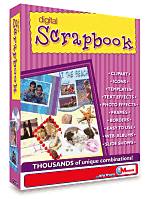
Digital Scrapbook
Digital Scrapbook is
the latest scrapbook program from Manaccom that gives users one of
the most innovative and creative programs on the market that will
ensure the longevity of your memories which is easy to use for the
inexperienced scrapbooker, however offers the more experienced user
a plethora of professional options.
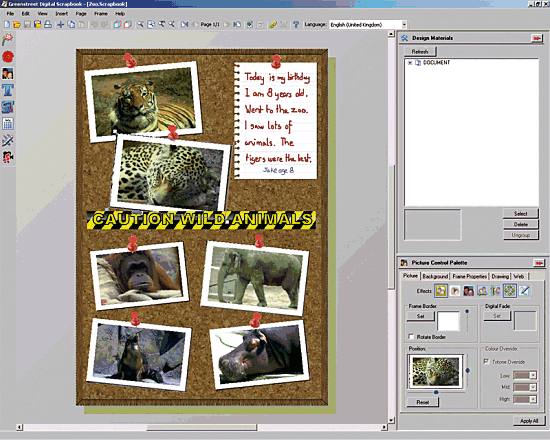
Features of
Digital Scrapbook:
-
Utilise the
style templates and themed examples or create your own layout
using a choice of design frames, freehand drawing frames, colour
palettes and more.
-
The Document
Restyler function lets you restyle your scrapbook to a new theme
in seconds!
-
Bonus
application! Includes the PhotoFX application so you can crop,
rotate, flip, enhance, resize and recolour your digital, mobile
phone and scanned photos.
-
Import virtually
anything into your scrapbook – then print or export your
-
finished
creation to web, CD or video to view on TV via a compatible DVD
player. You can also create screensavers that can be emailed to
family and friends.
-
Optional
password protection allows you to create a totally secure
private scrapbook – or you can create one that’s designed to be
shared with the world.
-
Great text
features - adding wraps, shadows, layering, resizing, multiple
lines, scribbling and more.
-
Simple to use
materials window pane and options bar.
The installation of
Digital Scrapbook was a breeze and it simply auto-installed on our
Windows Vista test machine with minimal prompting and around a few
minutes later, we were greeted to an extremely user-friendly
interface and 10 minutes later, we had our first scrapbook ready to
be reviewed with just a click of our mouse.

Benefits of
Digital Scrapbook:
-
People of all
ages will enjoy and benefit from the numerous possibilities
available in Digital Scrapbook.
-
Plenty of
features to let you customise and personalise your pages. Use
the examples to spark your creativity.
-
Don’t worry
about damaging or losing your treasured mementos. Keep
electronic copies available in case you ever need to replace a
page or want to share a copy with friends and family.
-
With the simple,
user-friendly layout, you can navigate through the program with
ease and get your design off the ground in no time.
The program also
offers you all the options of scrapbooking, whether it's adding
clipart, text or speech balloons, the only thing that limits the
program is the users creativity levels. I must admit that we were
pleasantly surprised as to the creativity of the program with a
whole variety of templates, so even if you are creatively stunted,
this program will make you a muse!

Once you have
created your scrapbook, you even have the option of creating a video
CD to watch your memories on the television. It's a great tool for
expressing your creativity with your memories and ensuring that
these memories are safe. Also great for those who wish to create
unique and personal gifts.
Great stuff!
|
|
|
|