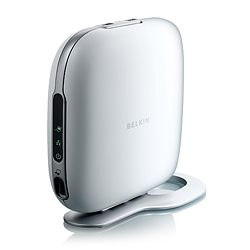
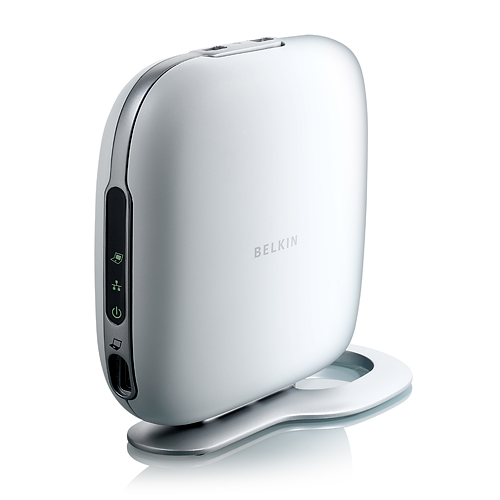
The main premise behind of the
High-Speed Docking Station is to basically give your notebook access to all your
desktop peripherals (e.g. LCD monitor, surround sound speakers) for the ultimate
multimedia experience on your laptop which allows for the following devices:
without the need for unplugging
a plethora of devices. The unit also comes with Express Card with a 27" cable to
ensure that you everything straight out of the box. The unit itself simply oozes
style with its sleep modern look that will not look out of place on any modern
computer desk.
Installation
Installation? What installation?
The High-Speed Docking Station installed flawless on our Toshiba laptop that was
running Windows XP Professional. The unit itself comes with a quick installation
CD that took us through the process of installing the High-Speed Docking Station
and after a few minutes, we were almost up and running. The unit itself is also
powered by an AC Adapter and once it was all connected, we were ready to test
our laptop with our desktop style of peripherals.
Our BENQ monitor, Creative 5.1
speakers, Olympus C770 Digital Camera, Logitech G15 keyboard and G5 mouse all
plugged straight into the device without any hassels.
The beauty of the High-Speed
Docking Station is that when you move your laptop from your desk, you do not
need to unplug all the cables, you simple unplug the ExpressCard from your
laptop and when you return, simply plug it back in.
The video quality of the
High-Speed Docking Station supports 1600 x 1200 resolutions which is far
superior than our laptop resolution and we found no flaws whatsoever whilst
testing this device.
We loved the top loading USB
ports on the top of the device which is great for iPods and digital cameras. The
High-Speed Docking Station also boasts 5 USB 2.0 ports, 10/100 Mbps Ethernet
connection, digital Audio (S/PDIF), VGA connector, 3.5mm Audio-In, 3.5mm
Audio-Out and a DVI connection.
In conclusion, the Belkin
High-Speed Docking Station is a must have for any laptop computer user who is
always on the go and has a variety of multimedia devices in their office or home
because it removes the need to plug in a myriad of cables back into your laptop
when you return. Simply plug in the ExpressCard to your laptop and you have
access to all your devices. Perfect!