|
MediaRecover

Ever accidentally
deleted a photo file from your compact flash card or any other portable
media before you could save it somewhere safe? For most of us, that is
the end of it and the precious memory has been gone forever. File
recovery by experts has been costly in the past and many argue that it’s
simply not worth it. Now there is software that can help you get back
those memories and save them somewhere safe.
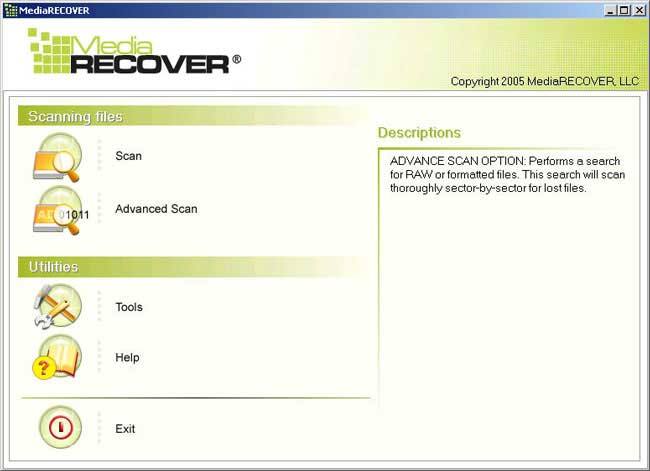
MediaRecover is this program and with it even novice
users can safely and effectively get back most files that they think are
gone for good. Installation of the software is very easy and the
interface is designed with simplicity in mind.
One thing aside from the value of the software in
media recovery is the fact that it is available for both Windows and Mac
users which is a good thing. MediaRecover also can assist with more than
just photos, files and video may also be brought back from the dead. Now
the software doesn’t promise that it will be the solution to everything
as there will occasionally be data that you can’t get back, however on
the tests we did on compact flash, SD and USB drives (all new and clean)
the software was able to get back data that we “lost” on them.
The trick to this software working is that you need
to use it as soon as you realise that you have messed up. Even though
you have deleted the file in a way that you can no longer see it, it is
still there unless you write over it so many times that the integrity of
the file is compromised. So as soon as you do delete something
inadvertently, make sure that the software is used.
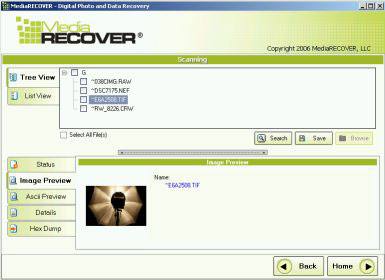
Basically from my layman’s understanding, the
software takes all the bits and bytes that make up a file (all the 1’s
and 0’s for example) and makes sense of them in a way that allows it to
work out complete files and bring them back so you can save them.
MediaRecover can also format your media securely to prevent data
recovery if you choose.
There are always going
to be those who find that this software doesn’t work for them however it
does provide support for over 200 cameras and various media types
including:
-
Digital Camera Media: SmartMedia,
CompactFlash, Memory Stick, Secure Digital, XD Picture Card,
Microdrive, Flash Card, PC Card, Multimedia Card and others
-
Zip Disks and floppy disks
I can heartily recommend this software as it was
certainly put through it’s paces by the team, albeit in a controlled
environment and it worked every time. The software doesn’t pretend to be
the ultimate solution and clearly states that. But… it does a hell of a
job most of the time.
Let’s face it, for $50.00, wouldn’t you
rather save those files or even have a shot at doing it?
|